





Build a WhatsApp Chatbot in Seconds with a Single Sentence in Zimflow Ai Asistant
In the world of customer engagement, speed and efficiency are everything. What if you could deploy a fully functional WhatsApp chatbot for your business not in days or hours, but in the time it takes to write a single sentence?
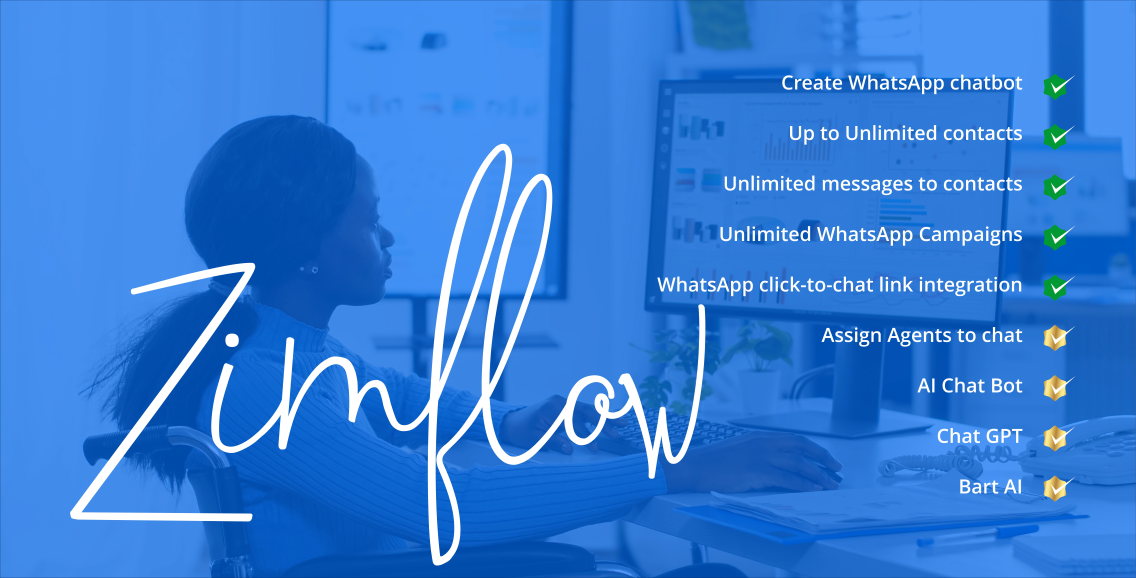
Welcome to the future of chatbot creation with Zimflow's AI Assistant.
Our powerful AI understands plain English commands and translates them into complete, ready-to-use chatbot flows. No dragging, no dropping, no complicated setup—just type what you want, and watch it come to life.
To show you just how powerful this is, here are five different, real-world chatbots you can build right now, each with a single command.
1. The E-Commerce Sales Bot
Goal: Create a simple bot that allows customers to search for products and pay using EcoCash.
Raw prompt:
prompt
Create a chatbot that welcomes the user, asks them what product they are looking for, uses the shop node to find the product, displays the results in a list message, asks for the quantity, calculates the total price, and then requests payment using the ecocash payment node. It should send a success message if the payment works or a failure message if it fails.
What it does: The AI Assistant will build a complete e-commerce funnel. It creates a flow that greets the user, searches your product catalog, displays the results, asks for a quantity, calculates the total, and initiates an EcoCash payment, with separate paths for success and failure.
2. The Real Estate Lead Generation Bot
Goal: Capture leads for a real estate agency and automatically submit them to a Google Form.
Raw prompt:
prompt
Create a lead generation bot for a real estate agency. It should ask for the user's name, email, and the type of property they are interested in. After collecting the details, it must submit the information to this Google Form https://docs.google.com/forms/d/e/1FAIpQLS.../viewform and then send a thank you message.
What it does: This command generates a multi-step form in your chatbot. It asks the user a series of questions, saves their answers, and then uses the google_form node to automatically populate your Google Sheet with the new lead, creating a seamless link between WhatsApp and your CRM.
3. The Dynamic Quotation Bot
Goal: Generate a professional PDF quotation for a service, with the price determined dynamically by AI.
Raw prompt:
prompt
Build a bot that asks for the client's name and the service they need. Then, use an openai node to determine the price for the requested service by using vector search on my documents. Next, use another openai node to format the client name, service, and price into a JSON object for a quote. Finally, generate a quotation PDF using the generate document node and send it to the user.
What it does: This creates a sophisticated, two-stage AI flow. The first AI acts as a pricing expert, searching your knowledge base to find the correct price. The second AI acts as a data formatter, structuring the information perfectly for the generate_document node, which then creates and sends a custom PDF quote.
4. The Customer Support & Agent Handoff Bot
Goal: Provide instant AI-powered support and escalate to a human agent when necessary.
Raw prompt:
prompt
Create a customer support bot that uses an openai node with vector search to answer questions. If the user says they want to talk to a human, the bot should ask for their name and email, save the details to a new data table called "Support Leads", and then use the assign agent node to transfer the chat to a live agent.
What it does: This command builds an intelligent support system. The AI first attempts to resolve the user's issue by searching your knowledge base. If the conversation requires a human touch, it seamlessly transitions into a lead capture flow, saves the user's information to a Data Table, and assigns the chat to a team member for human takeover.
5. The Restaurant Order & Invoice Bot
Goal: Take a customer's order, calculate the total, and send a PDF invoice.
Raw prompt:
prompt
Create a bot for a restaurant. It must ask for the customer's name, address, and what they want to order. After getting the order details and price, it should use an openai node to structure the data into a JSON object for an invoice, then use the generate document node to create an invoice PDF and send it to the customer.
What it does: This command generates a complete order-taking system. It collects all necessary details from the customer, uses an AI node to format the data correctly for an invoice template (including calculating totals if needed), and then sends a professional PDF invoice directly in the WhatsApp chat.
These five examples are just the beginning. With Zimflow's AI Assistant, any workflow you can describe, you can build. Try it for yourself and experience the new era of chatbot creation.
What's Your Reaction?
 Like
0
Like
0
 Dislike
0
Dislike
0
 Love
0
Love
0
 Funny
0
Funny
0
 Angry
0
Angry
0
 Sad
0
Sad
0
 Wow
0
Wow
0


